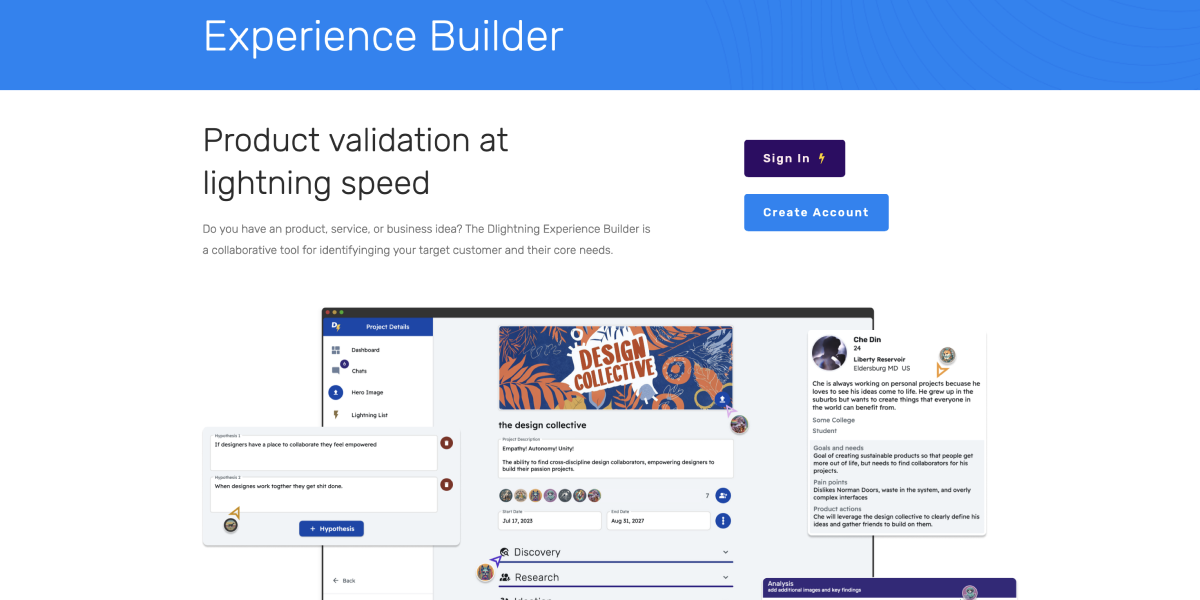
Many businesses struggle to find product market fit or determine why customers aren't fully satisfied with their product. Interviewing or surveying a target audience is a foolproof way to discover what they truly need, but it's difficult, time consuming, and expensive to do that research—usually.
Generative research is at the core of the D⚡️ Experience Builder. The builder prompts for details about market segmentation, product goals, business questions, upcoming interviews, and organizes it effortlessly.
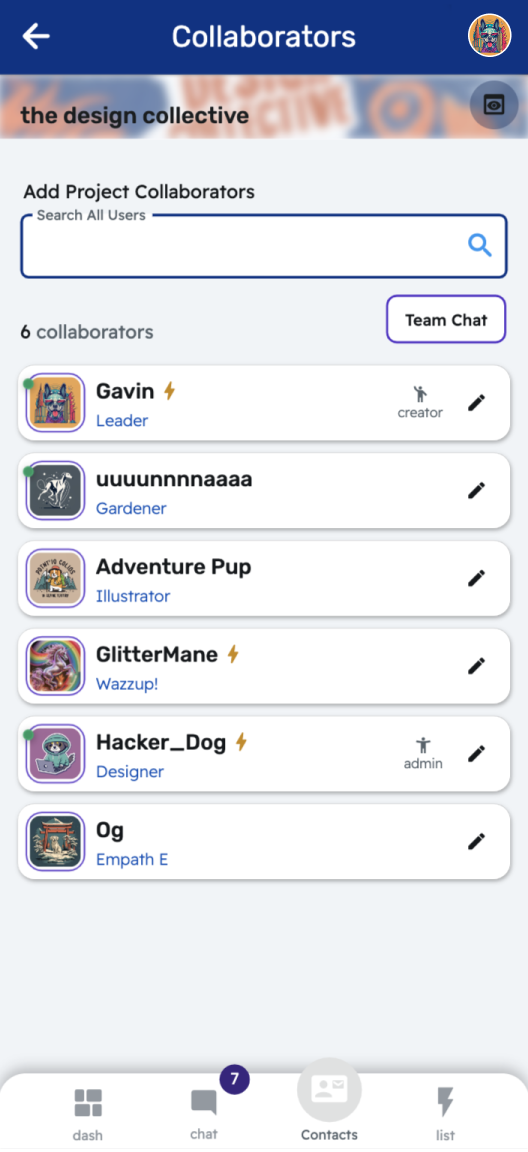
Build a Team
Set Collaborator Roles
Nominate Admin
Start a Group Chat
Quick Connect with Teammates
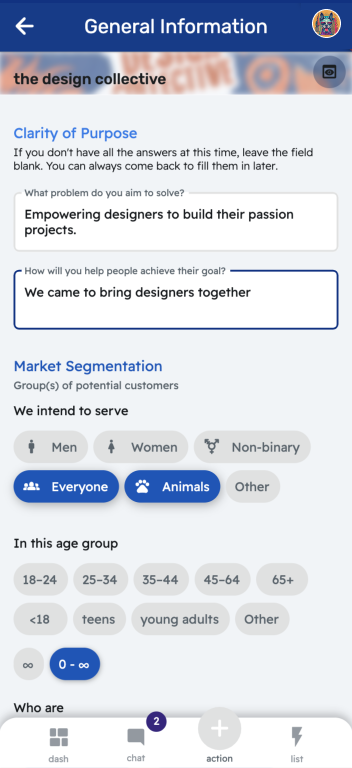
Discover Valuable Data
Methods are broken into phases that flow through the Experience Design process and create a detailed account of your project. Each template is flexible; nothing is required and you can undo almost any action.
- General Information
- Hypothesis
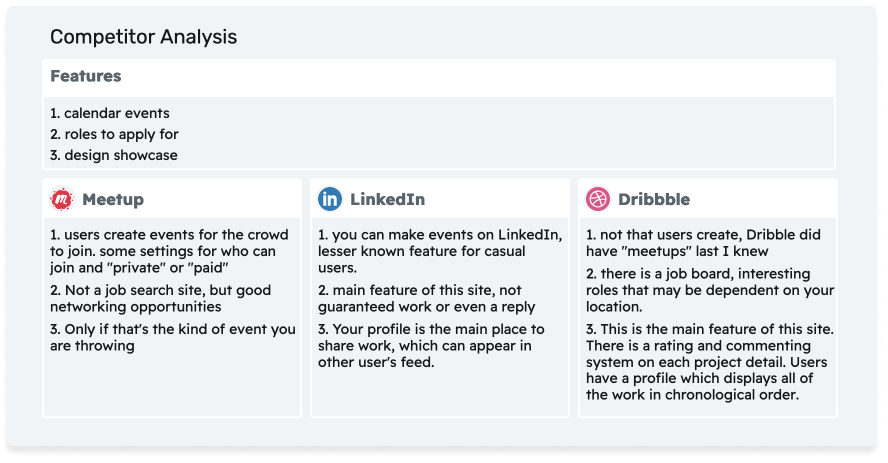
- Competitor Analysis
- Persona and proto personas
- Empathy Map
- Value Proposition Canvas
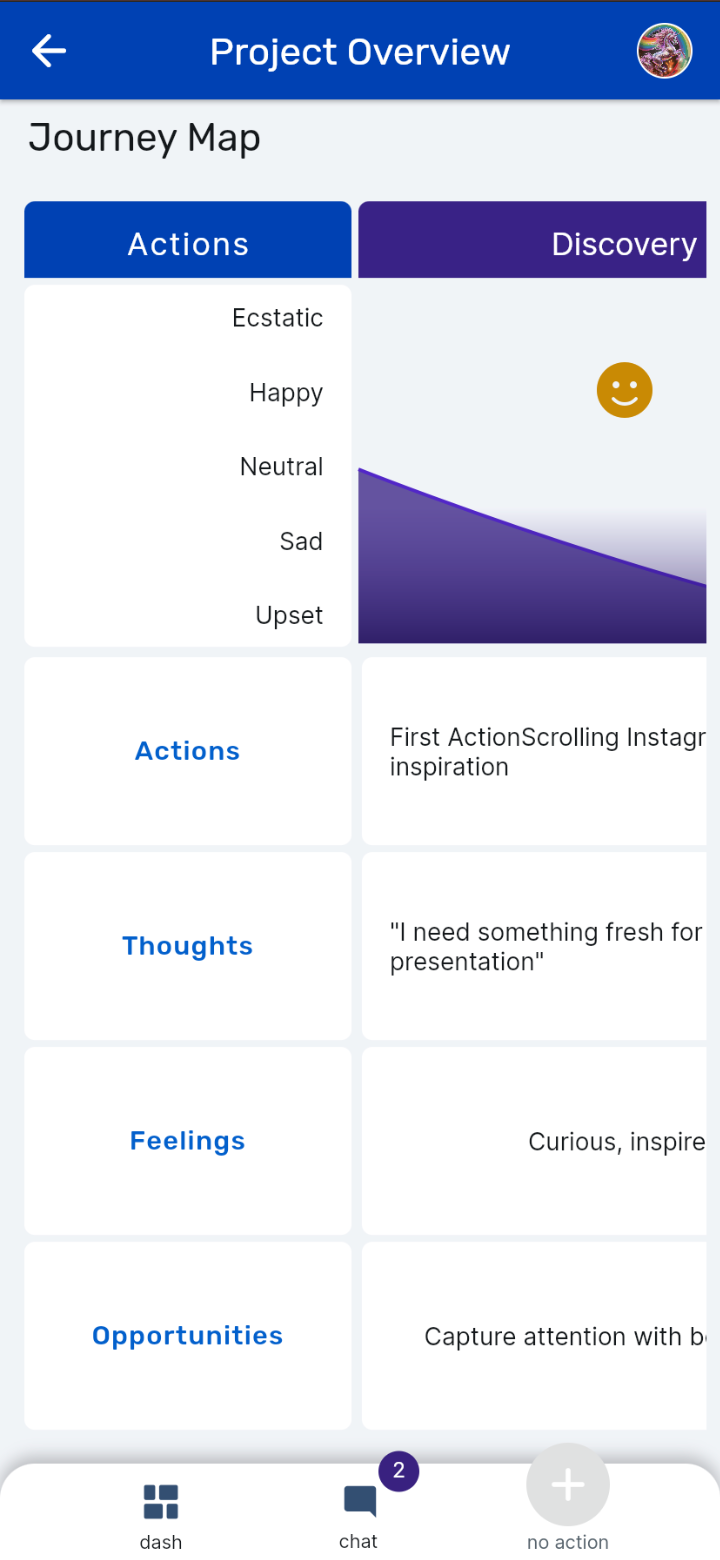
- Journey Map (included with Dlightning Pro)
- Hypothesis
- Competitor Analysis
- Persona and proto personas
- Empathy Map
- Value Proposition Canvas
- Journey Map (included with Dlightning Pro)
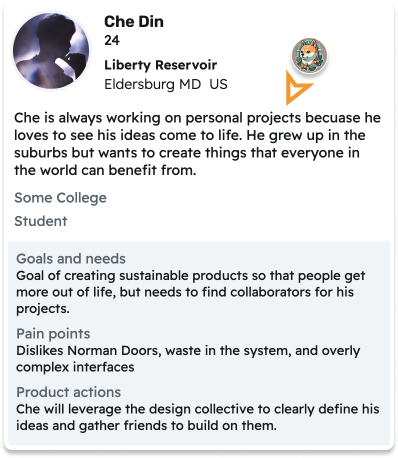
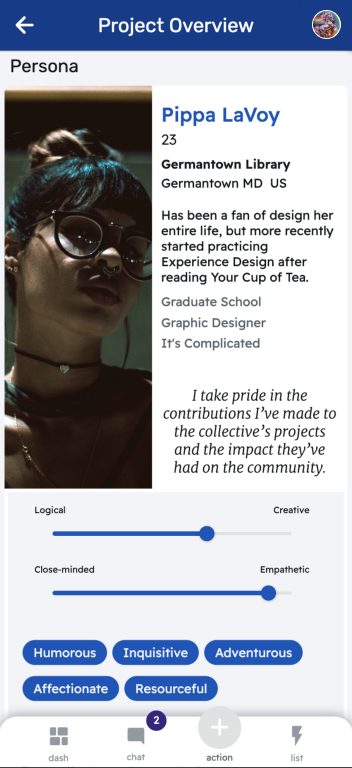
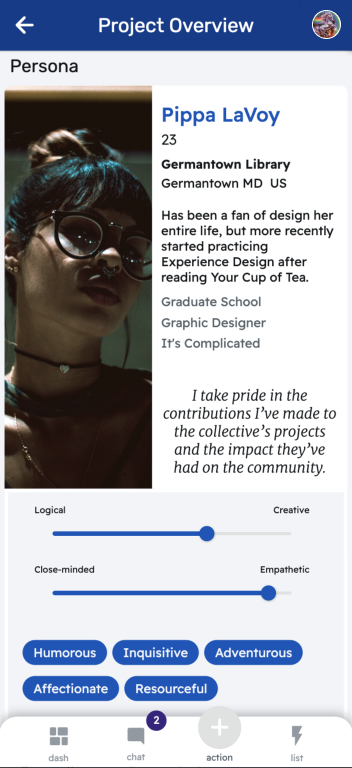
As you complete each Experience Builder Phase your Project Overview comes to life. This example of a proto-persona and competitor analysis shows how data is transformed! Simple actions yielding outsized rewards.
Dark Mode
Save your eyes at night
Enter deep flow states
Conserve battery life
Enter deep flow states
Conserve battery life
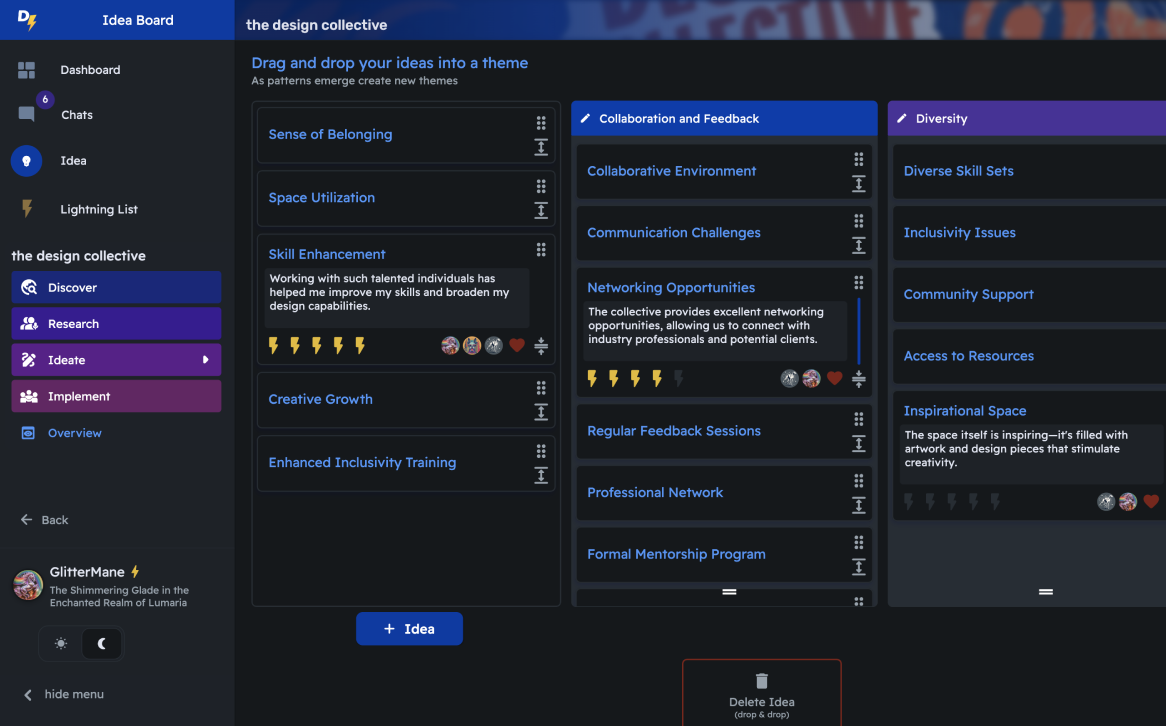
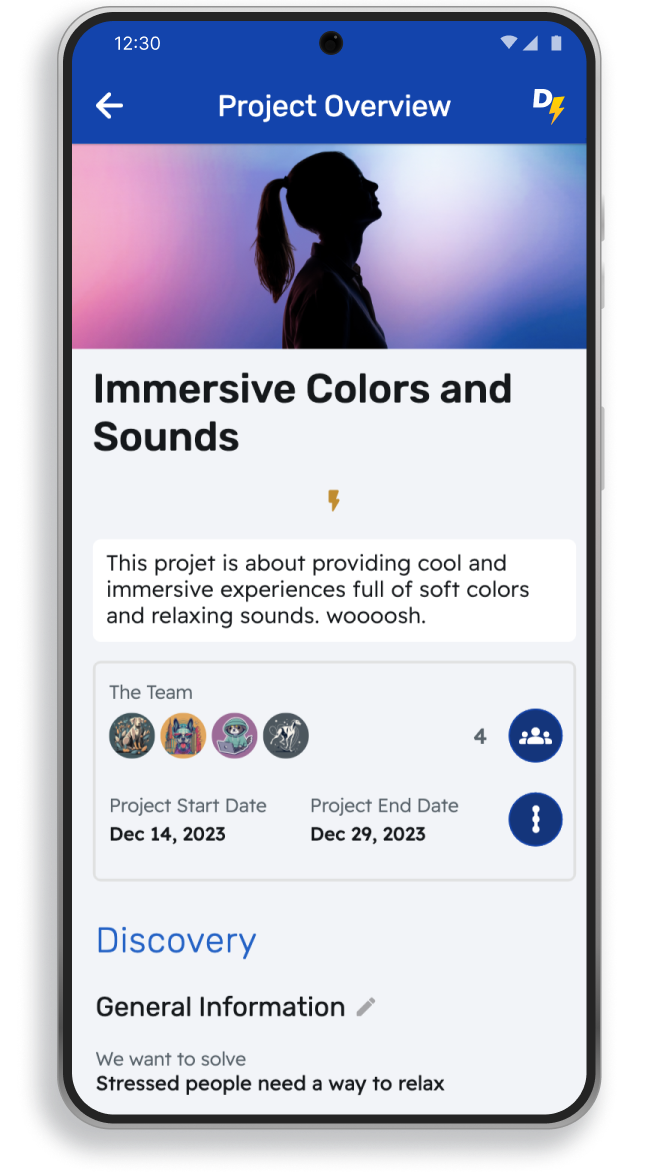
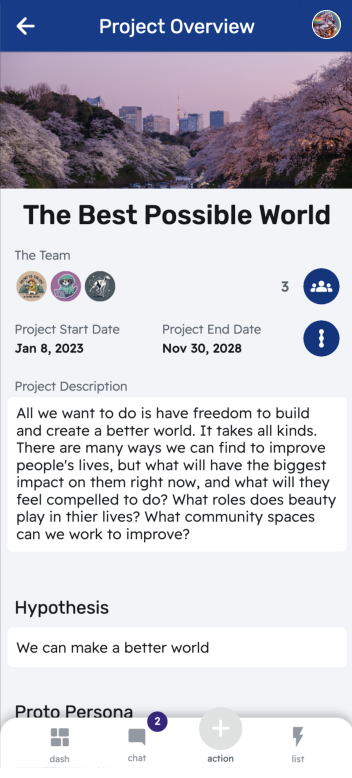
The Project Overview reveals how the product will serve your customers and aligns the product team around a singular vision. Every bit of information you enter is turned into clear documentation and insights.
Your team can easily view the progress, jump in to edit, and build your case study with lightning speed.
Design System & Figma Components
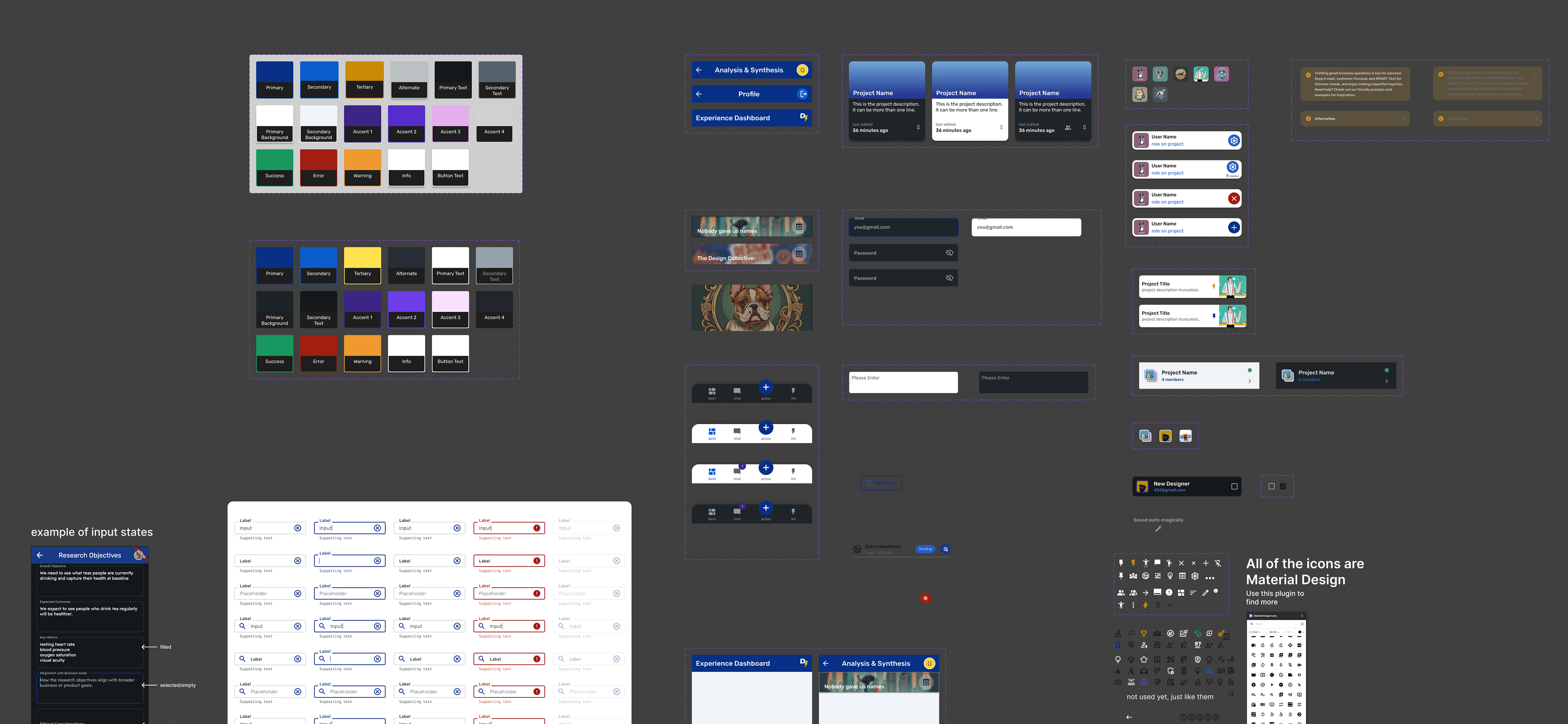
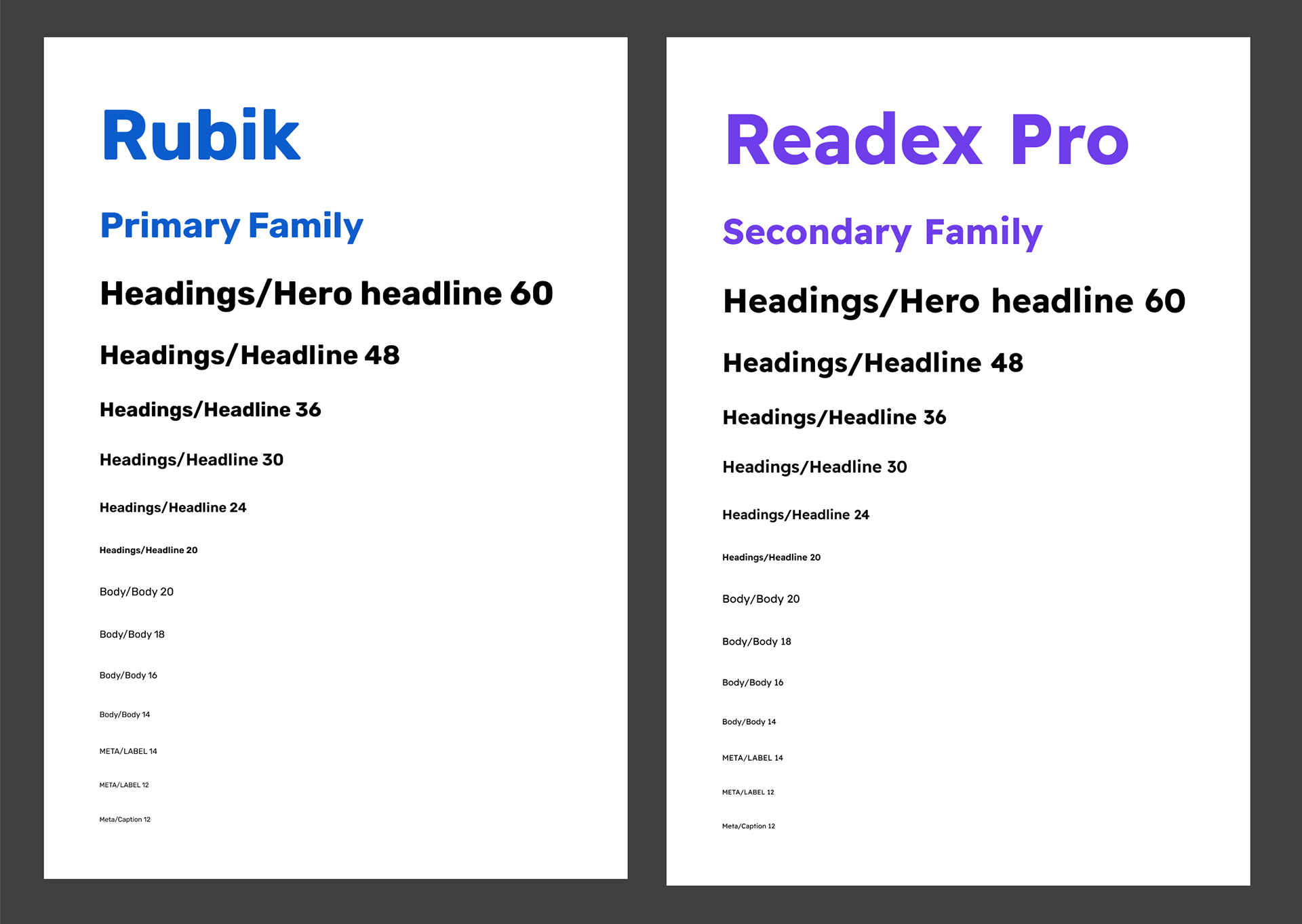
This is a small preview of the work that was done to create components for this project. All of these were set up as components with variables and base styles so that any change would cascade across the project file. I created annotations for other designers so that the entire process could be replicated by those joining after launch.
Project Dashboard (homepage)
this is where designers see all of their current projects ordered by most recently edited. When a designer joins a team they will also see "collaborations". Private projects are hidden from the Public projects section. In later iterations we removed the pinning (thumbtack icon) because it added confusion in user testing.
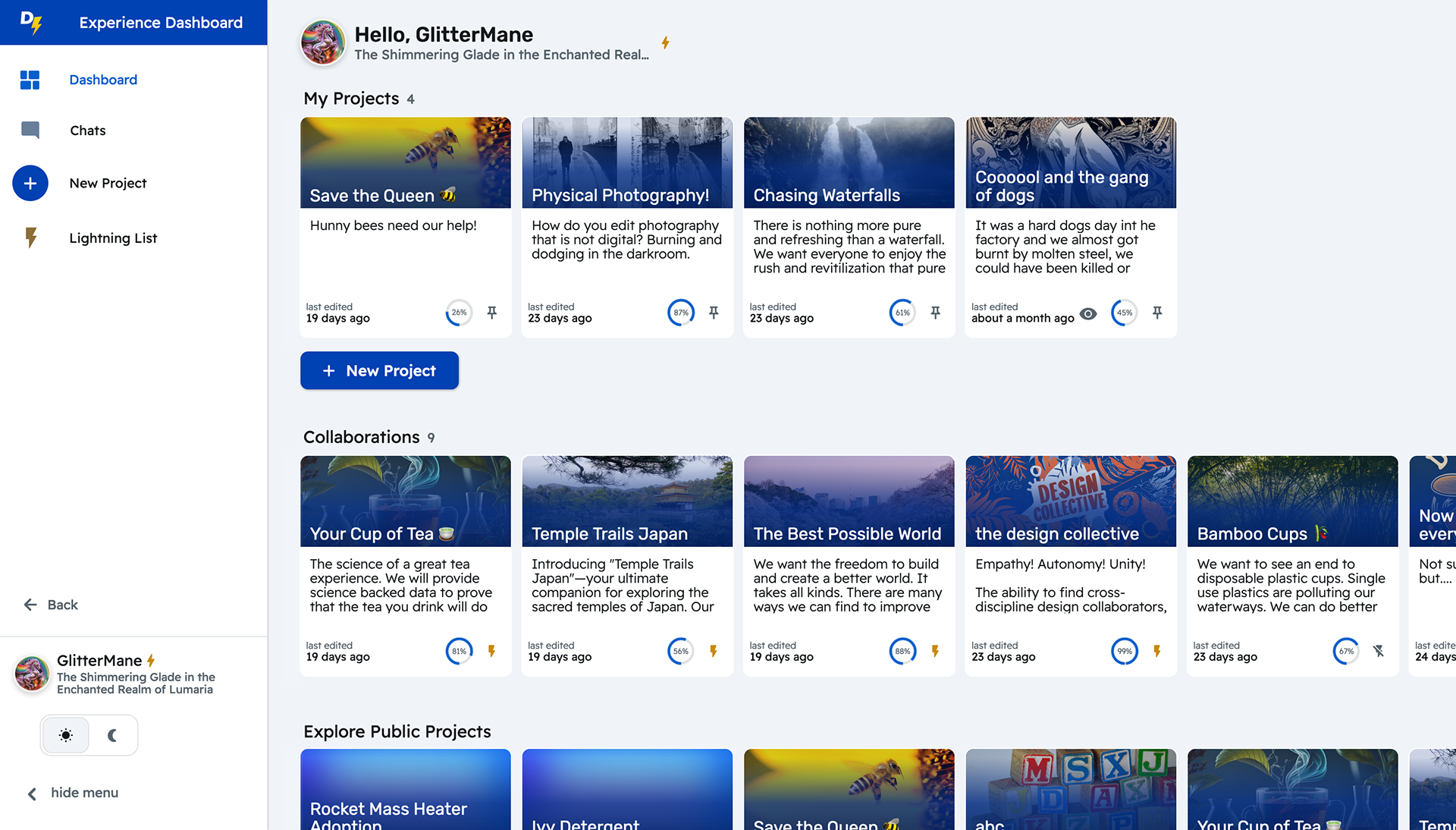
Select a project to work on. Access research and design stages with feedback about your progress embedded into the button itself.
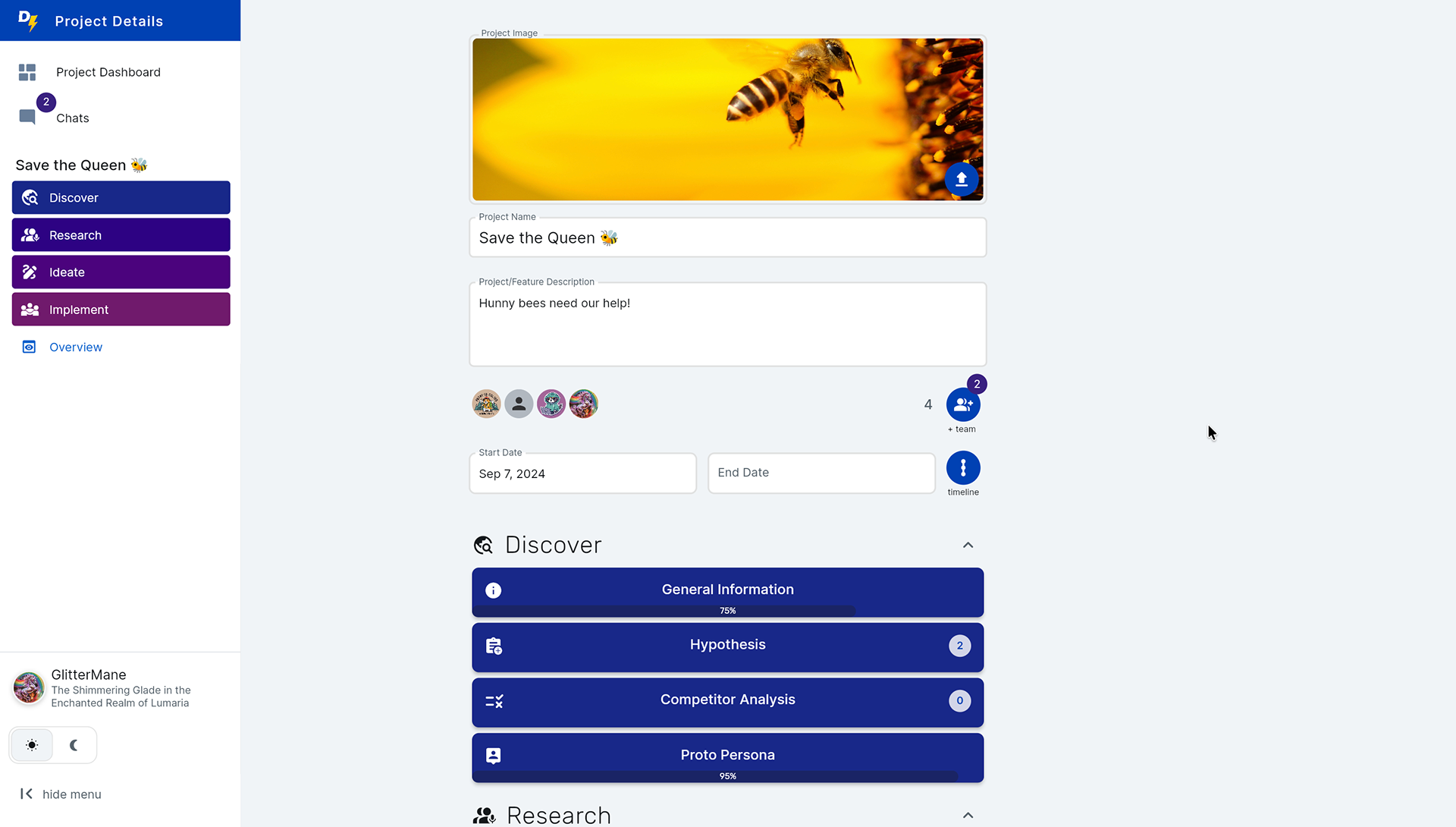
Discovery Phase
in this phase the designer outlines the project basics and does initial research
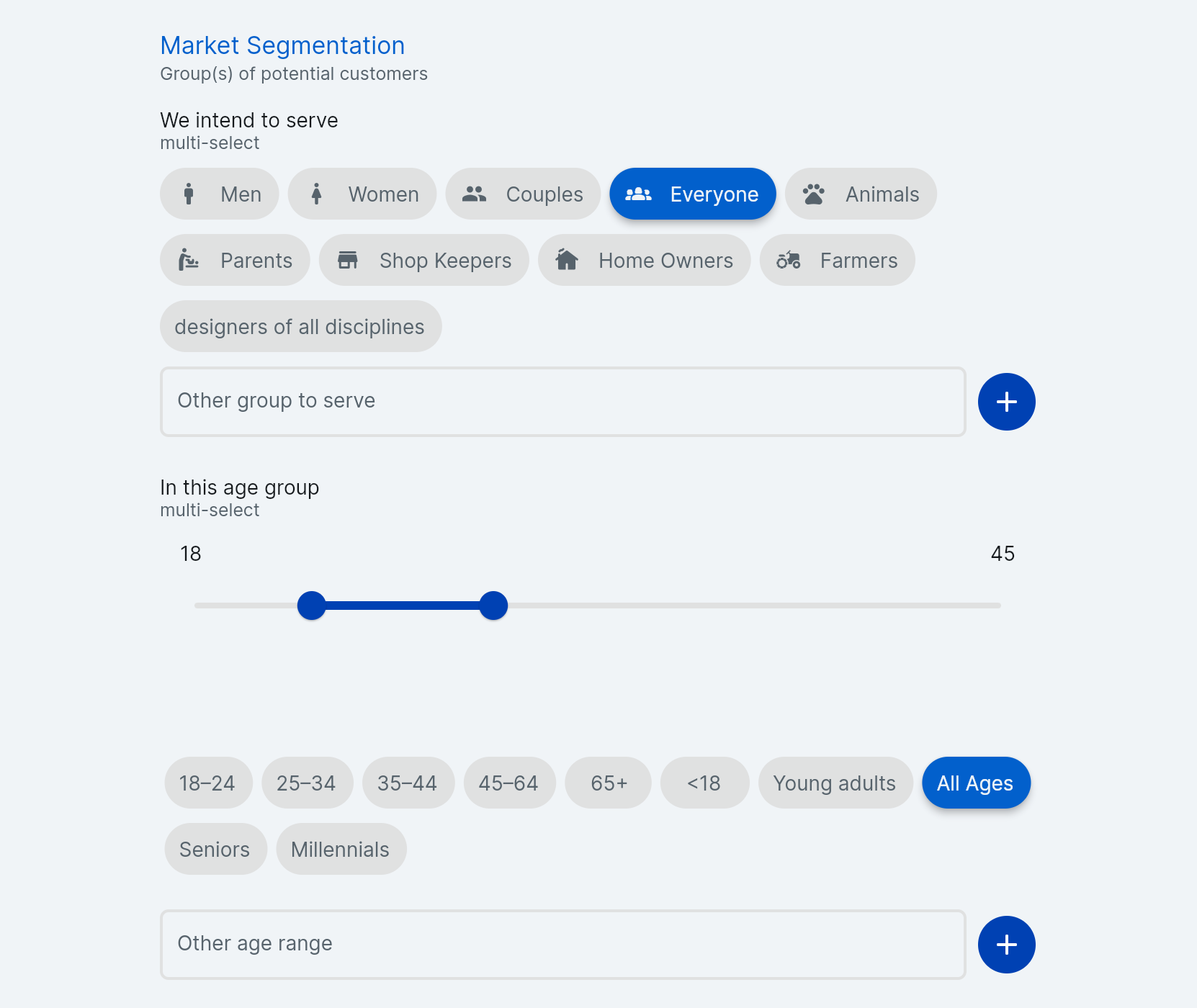
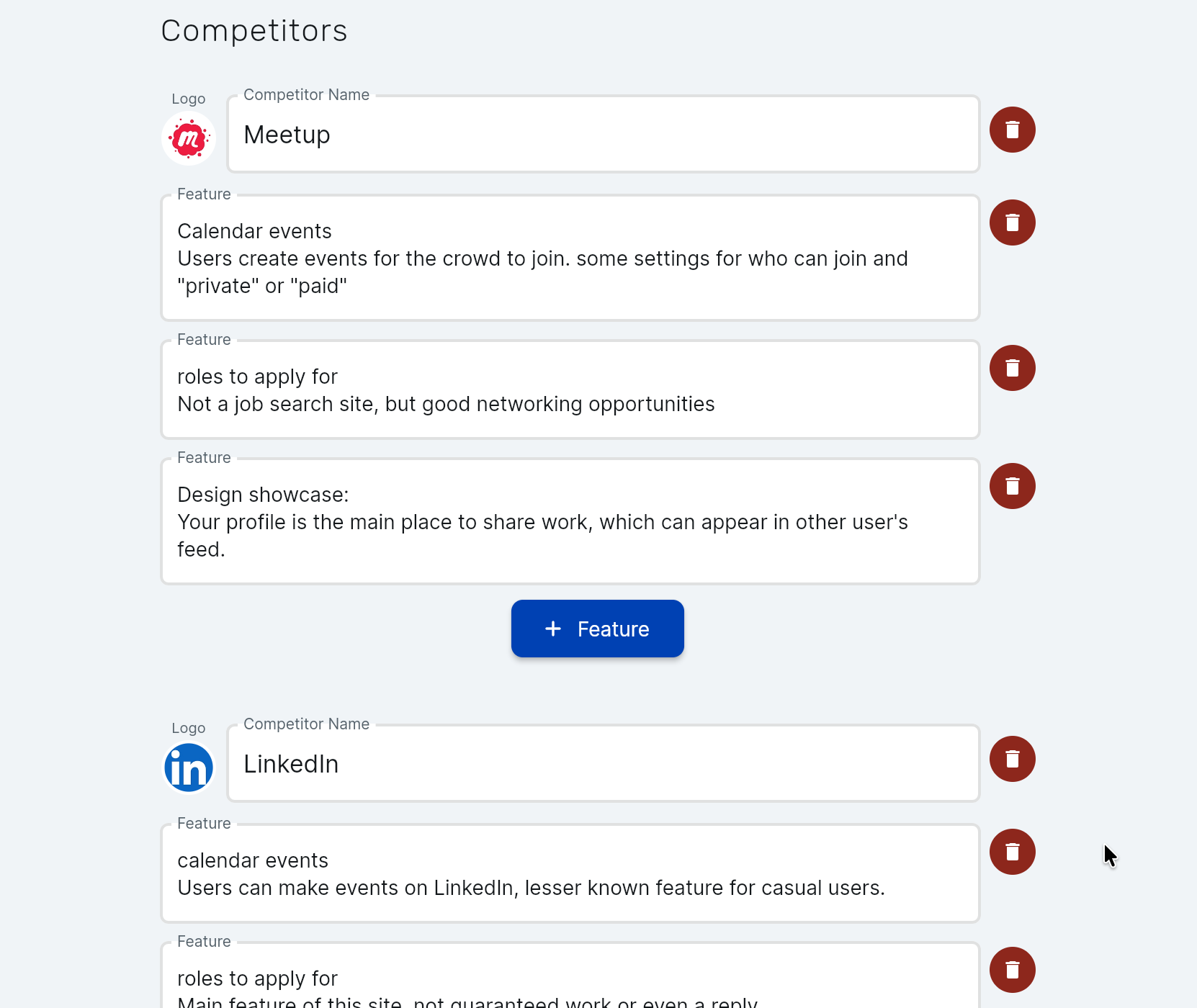
Research Phase
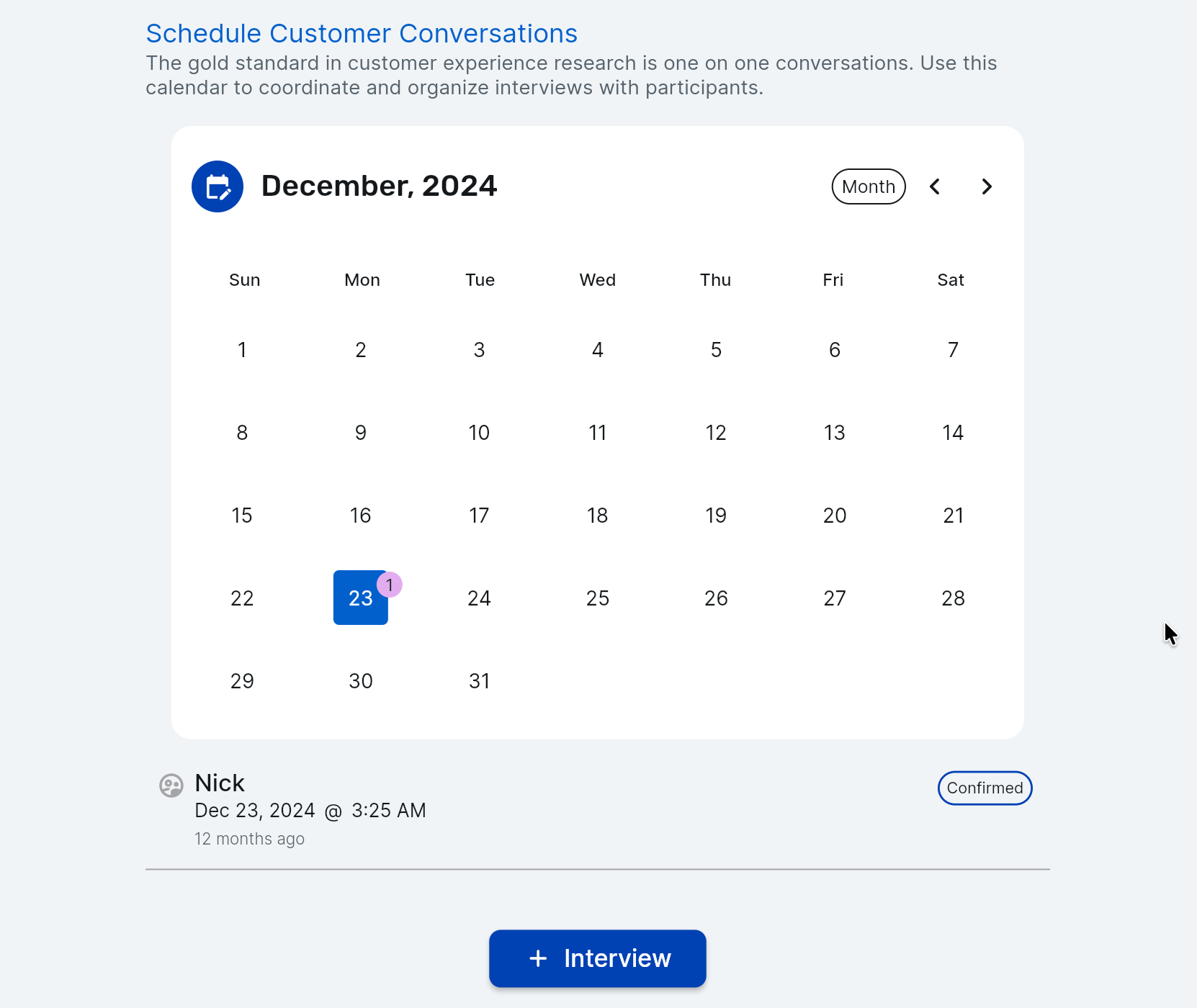
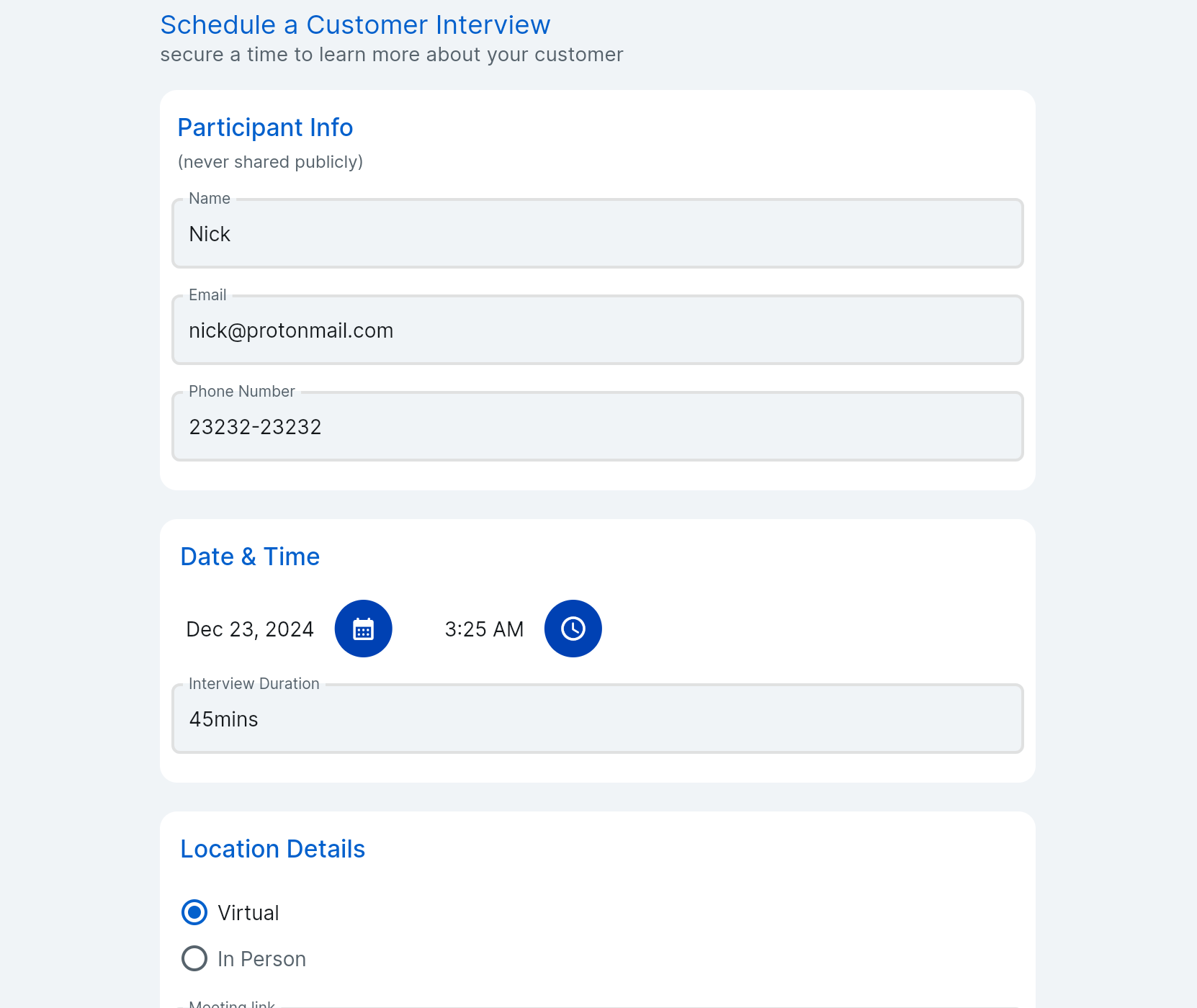
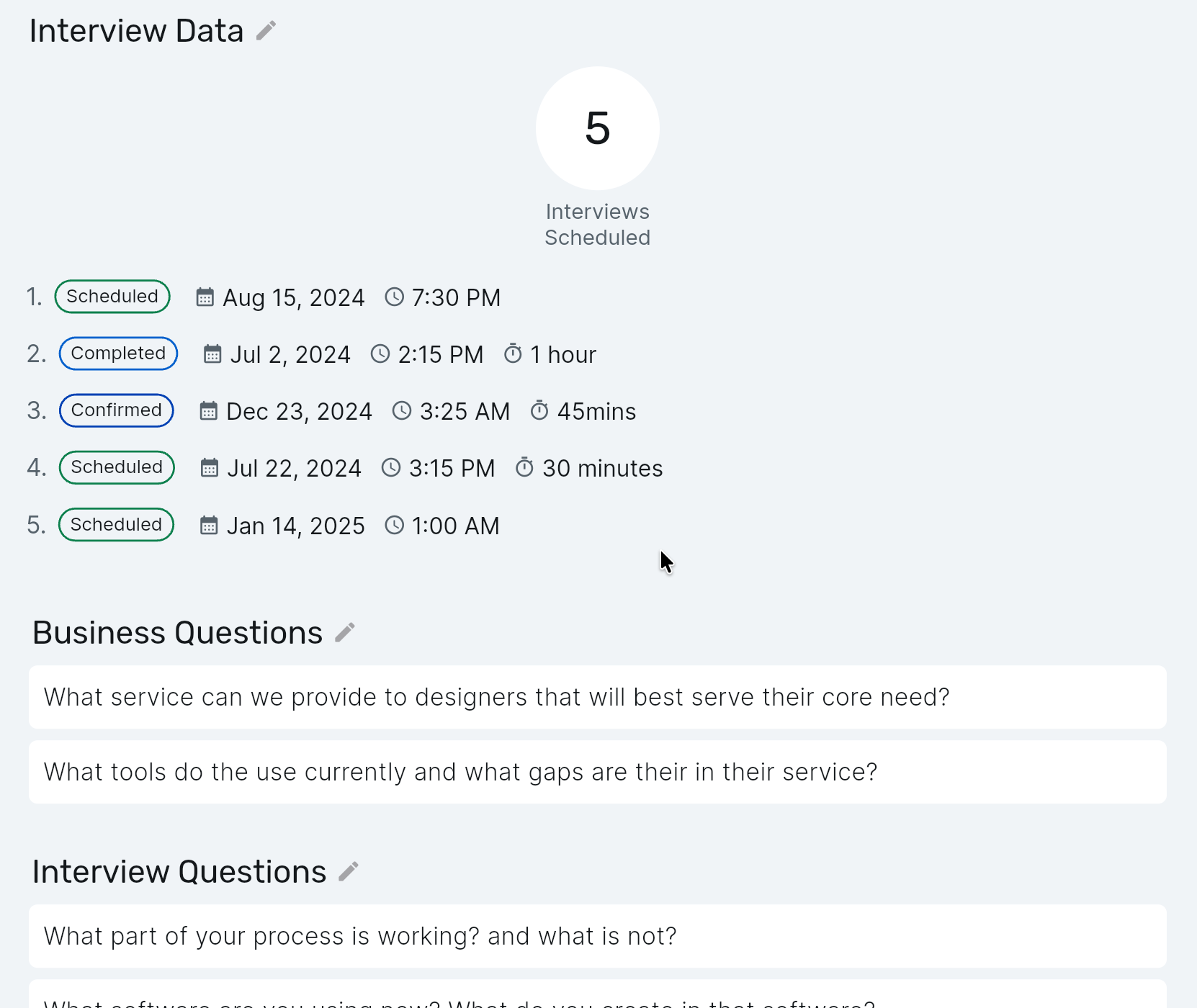
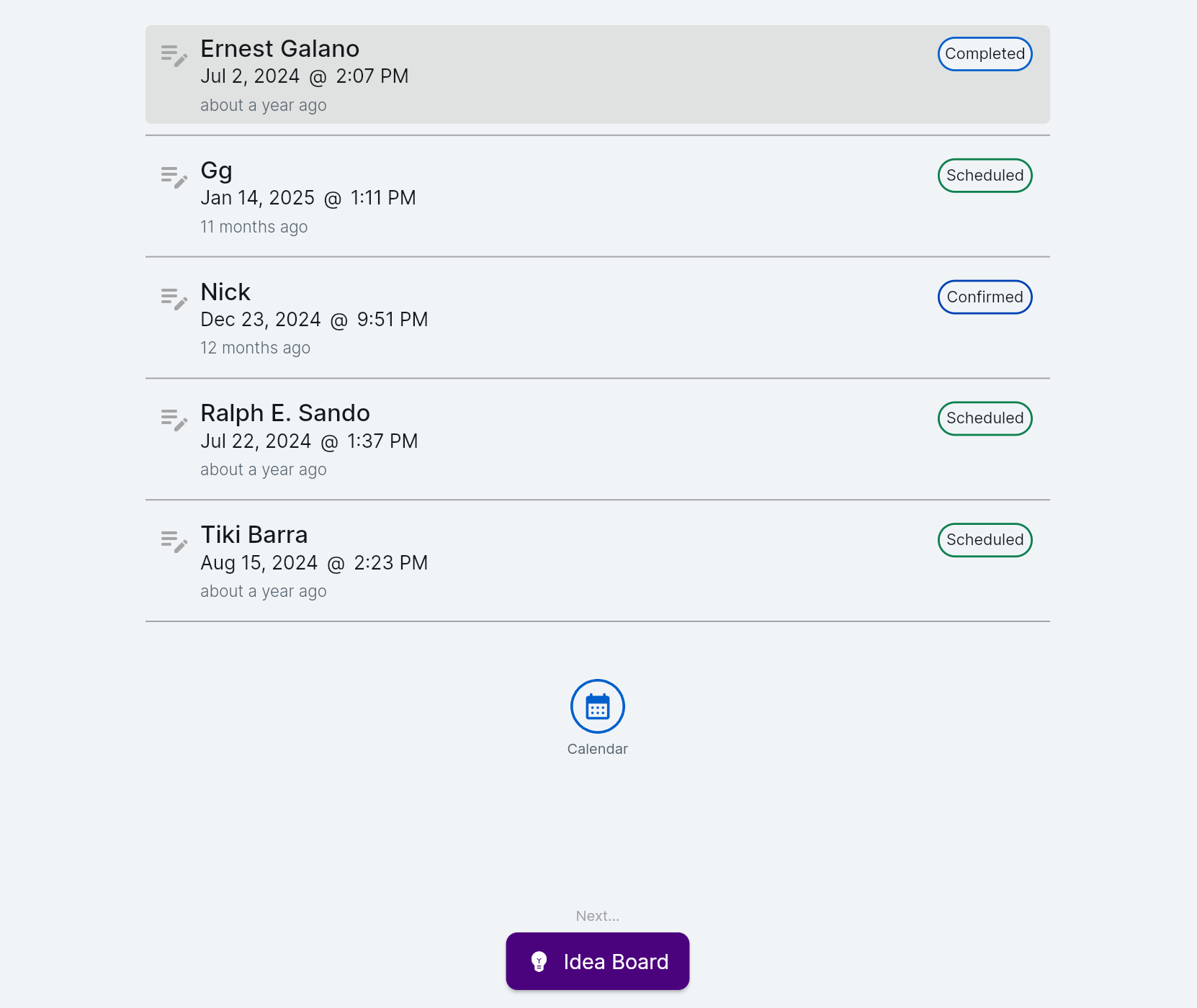
In the research phase designers define objectives and create then manage participant interviews. Teams decide who is going to join the interview in the app and send out automated emails. Public data about the interview is shared in the project overview.
Ideate Phase
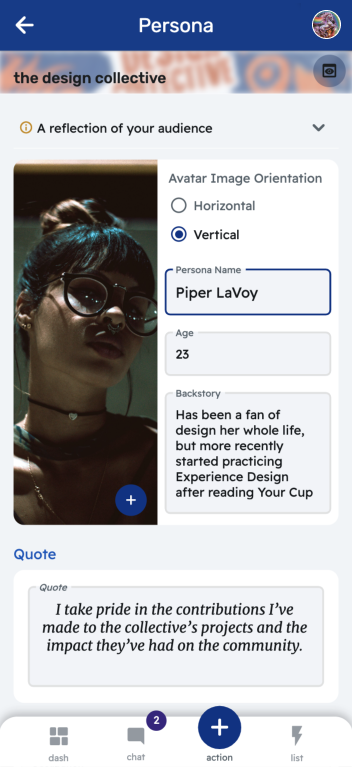
Each stage has it's own bespoke input that allows the user to create an artifact quickly. Here we see the input for Persona creation and the output
Implementation Phase
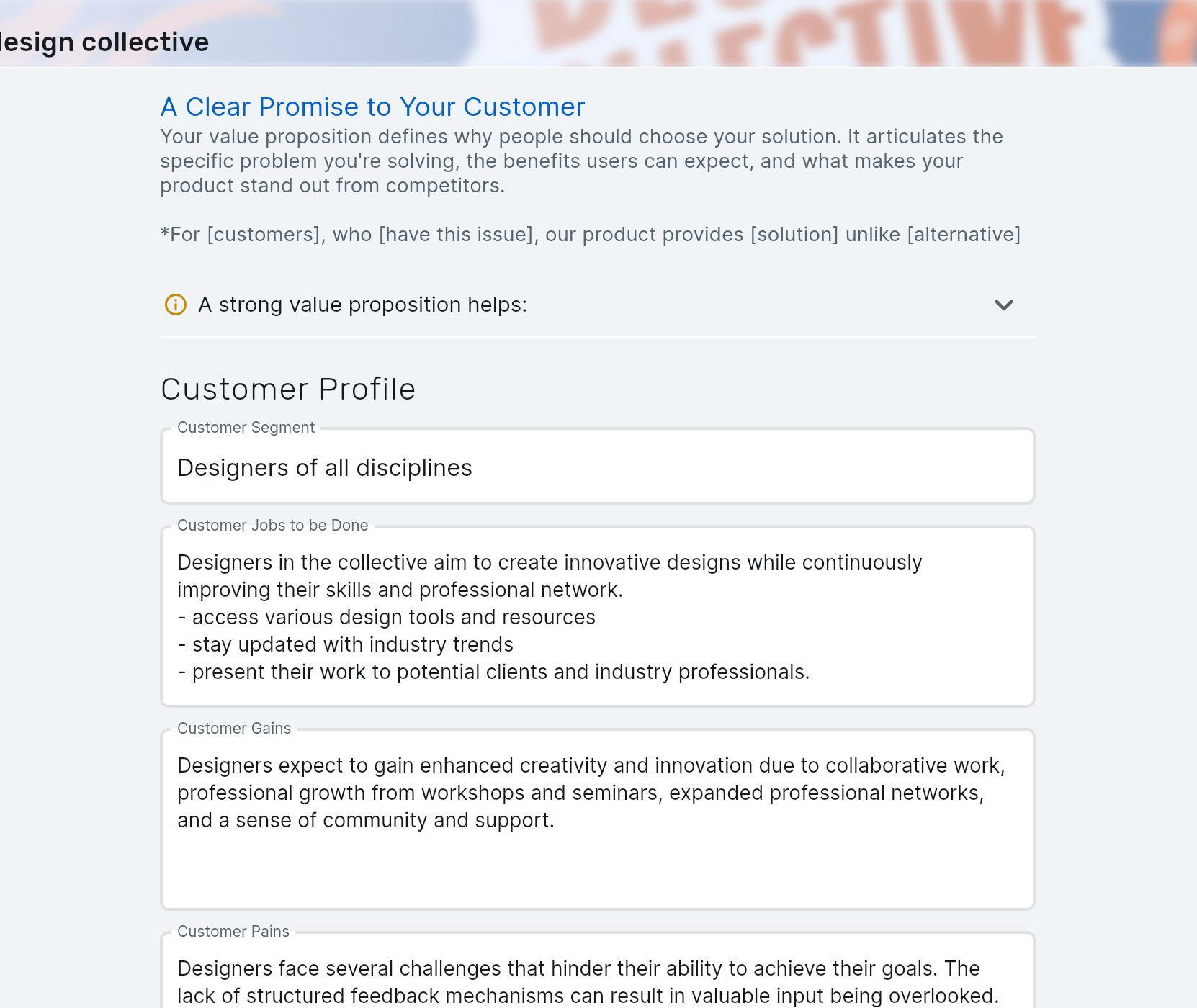
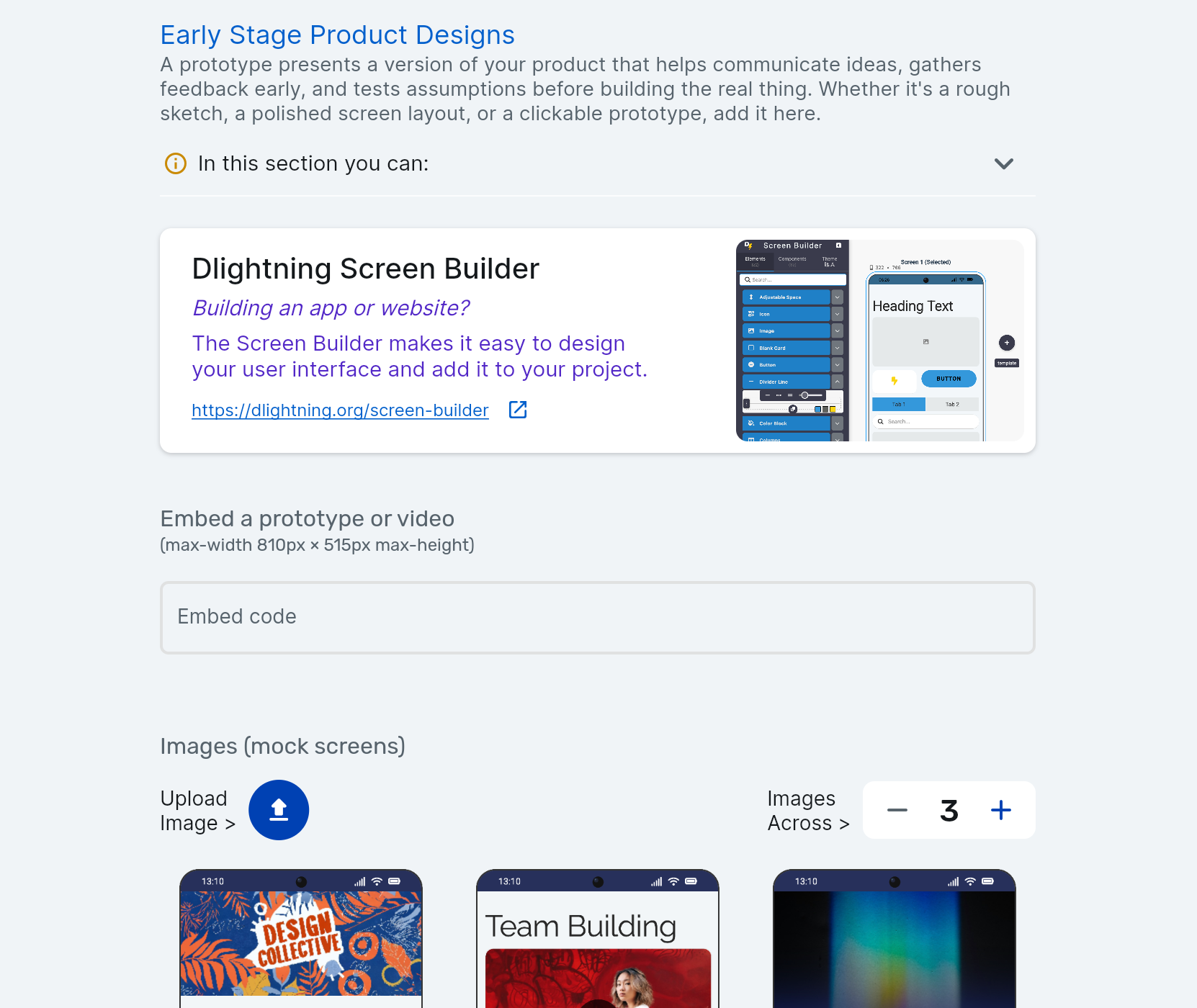
finally designers are prompted to create a clear value proposition and upload (or create) mock screens
Project Overview
all of this leads to a single view of the entire project that is shareable with anyone, even people not on the app. Check out The Design Collective project overview as an example.
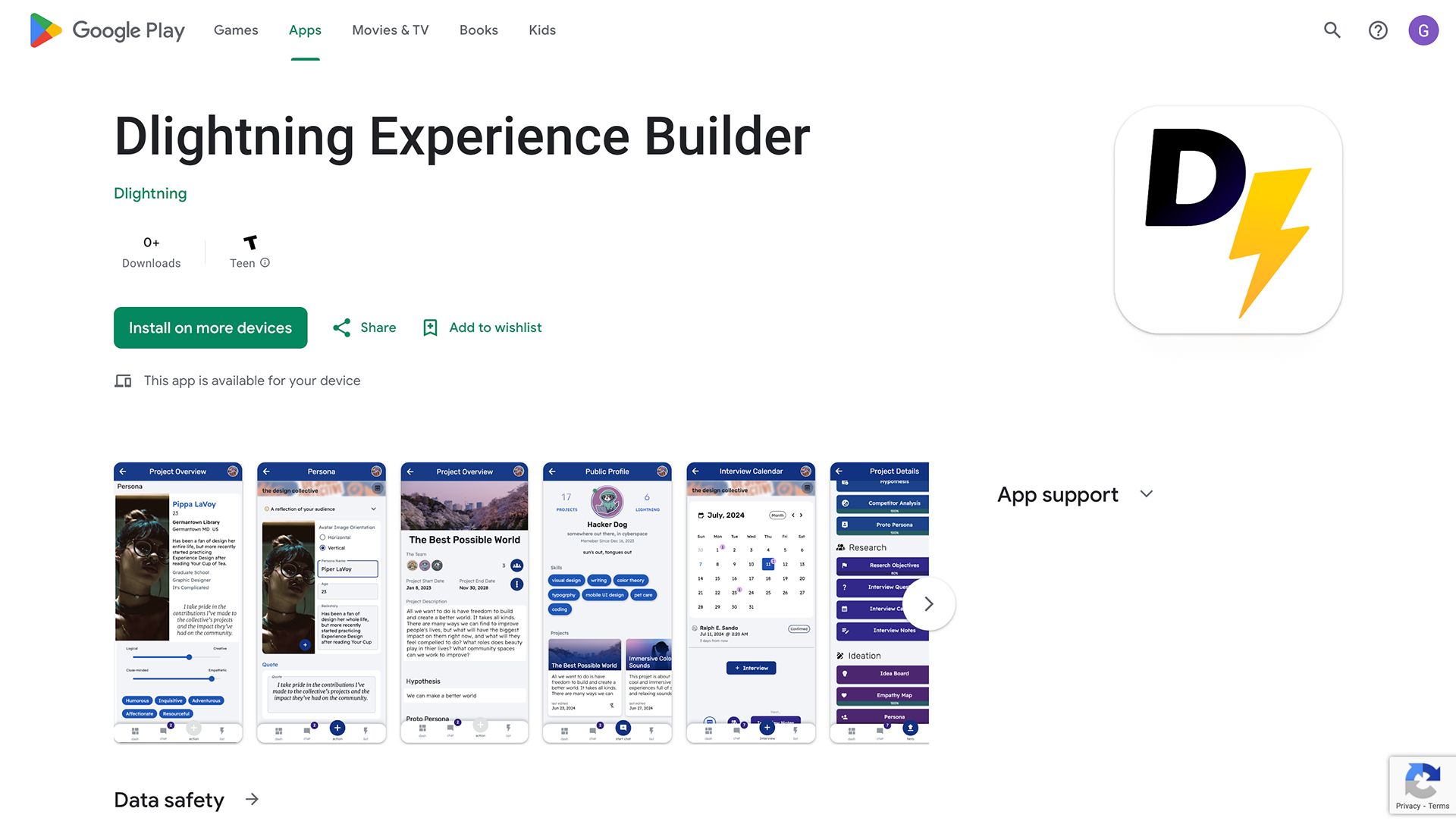
This product was built with flutter and is available on the web and may be available as a native app soon.
Final Thoughts
This is a huge system with tons of inputs and a large database structure, but it all comes back to the project as the main object. Because of the logical order the improvement in user ability to navigate and complete stages in the UX process the difficulty of storing, managing, and collaborating on a project is simplified.
next steps:
An AI chat bot was already added into the project, but it doesn't have the context of the project yet. When that is set up the ability to ask questions about the data and retrieve unique insights will be a huge selling point.
An AI chat bot was already added into the project, but it doesn't have the context of the project yet. When that is set up the ability to ask questions about the data and retrieve unique insights will be a huge selling point.